
Organize
Labels worthy of a museum drawer.
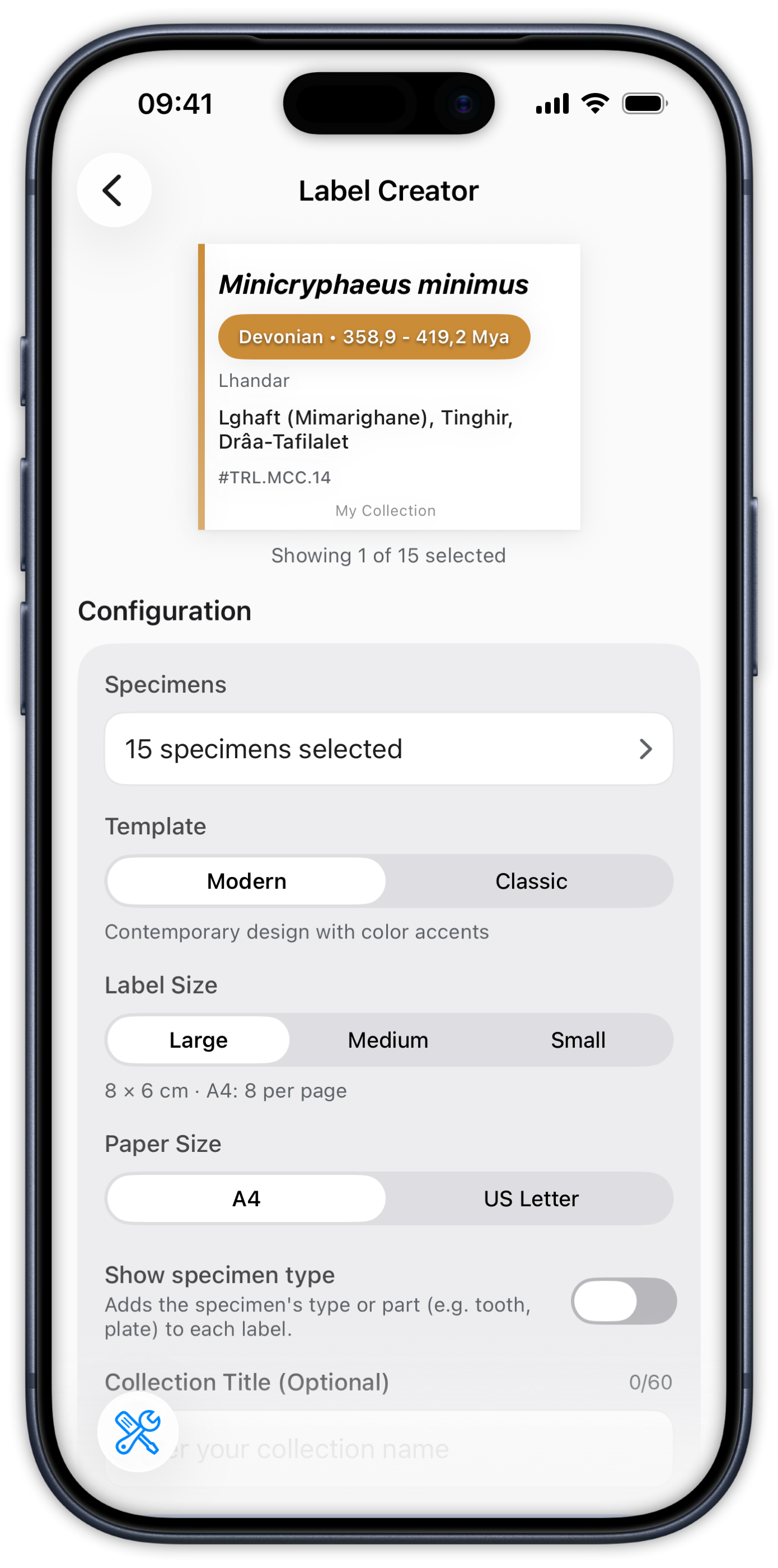
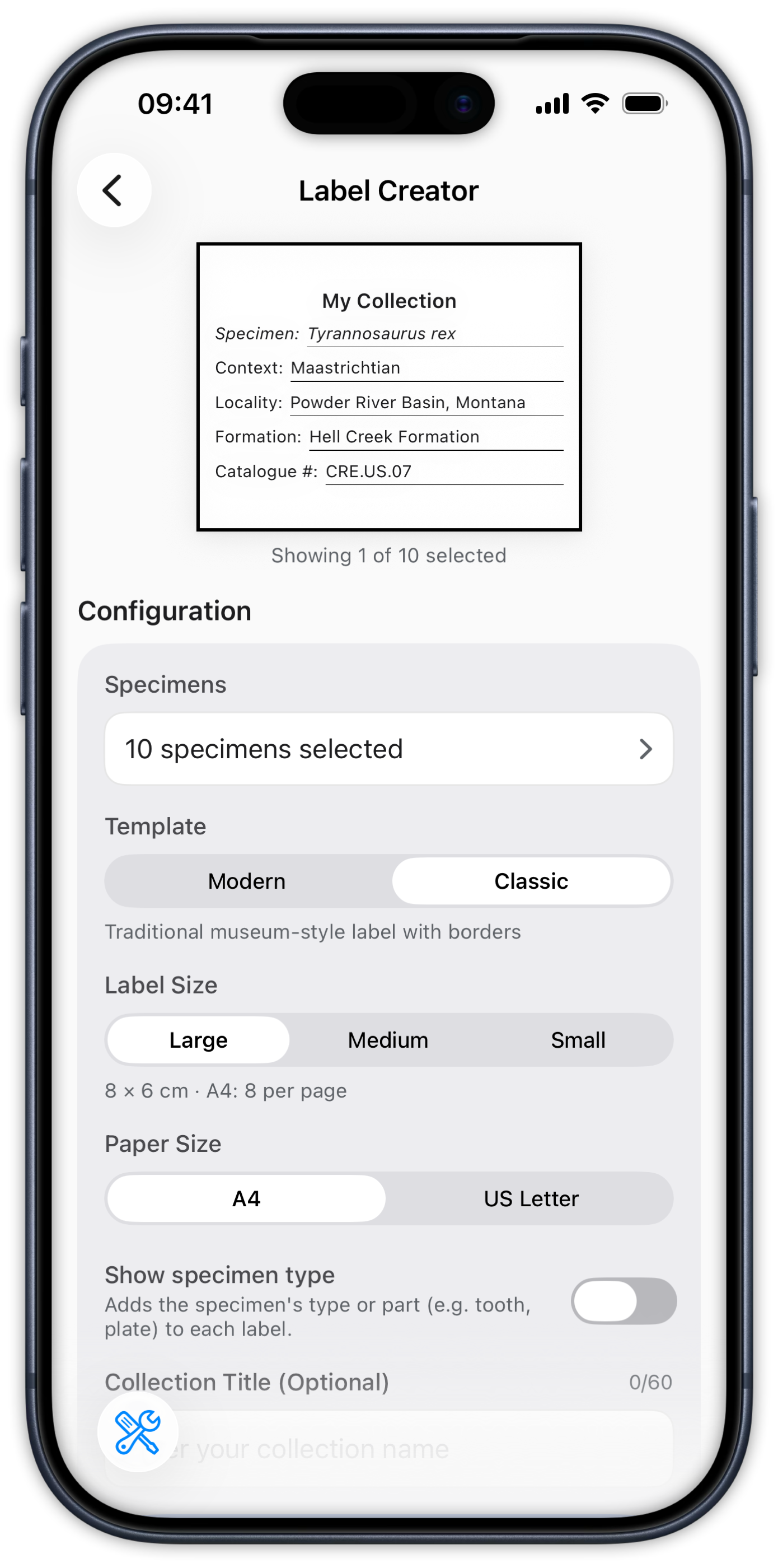
Pick specimens, pick a template, print. The Label Creator turns records into PDF label sheets you can preview in-app — no spreadsheet, no word processor, no re-typing.
 Available on iOS
 Available on Android
Templates & sizes
Two templates, three sizes, both paper formats.
Modern (contemporary, with the period color as an accent) or Classic (traditional serif). Large 8×6 cm, Medium 7×5.25 cm, or Small 6×4.5 cm — laid out automatically on A4 or US Letter with the per-page count computed for you.
- Modern & Classic templates
- 8×6 · 7×5.25 · 6×4.5 cm label sizes
- A4 or US Letter, automatic grid layout
- In-app PDF preview before printing or sharing

Batching
Label a drawer, not one rock at a time.
Select specimens by search, period, country, or tag and generate the whole batch in one pass — with the specimen type on the label if you want it.
- Batch selection with search & filters
- Optional specimen type (tooth, shell, plate…) per label
- Free plan prints batches of 4 · Pro is unlimited
Ready for your next specimen.
Free to start on iOS and Android.
 Available on iOSAvailable on Android